For private studio teachers
The front office for your private studio.
Schedules, lesson notes, makeup credits, billing and autopay, inquiries and policies for private teachers, from the people who built it for school programs.
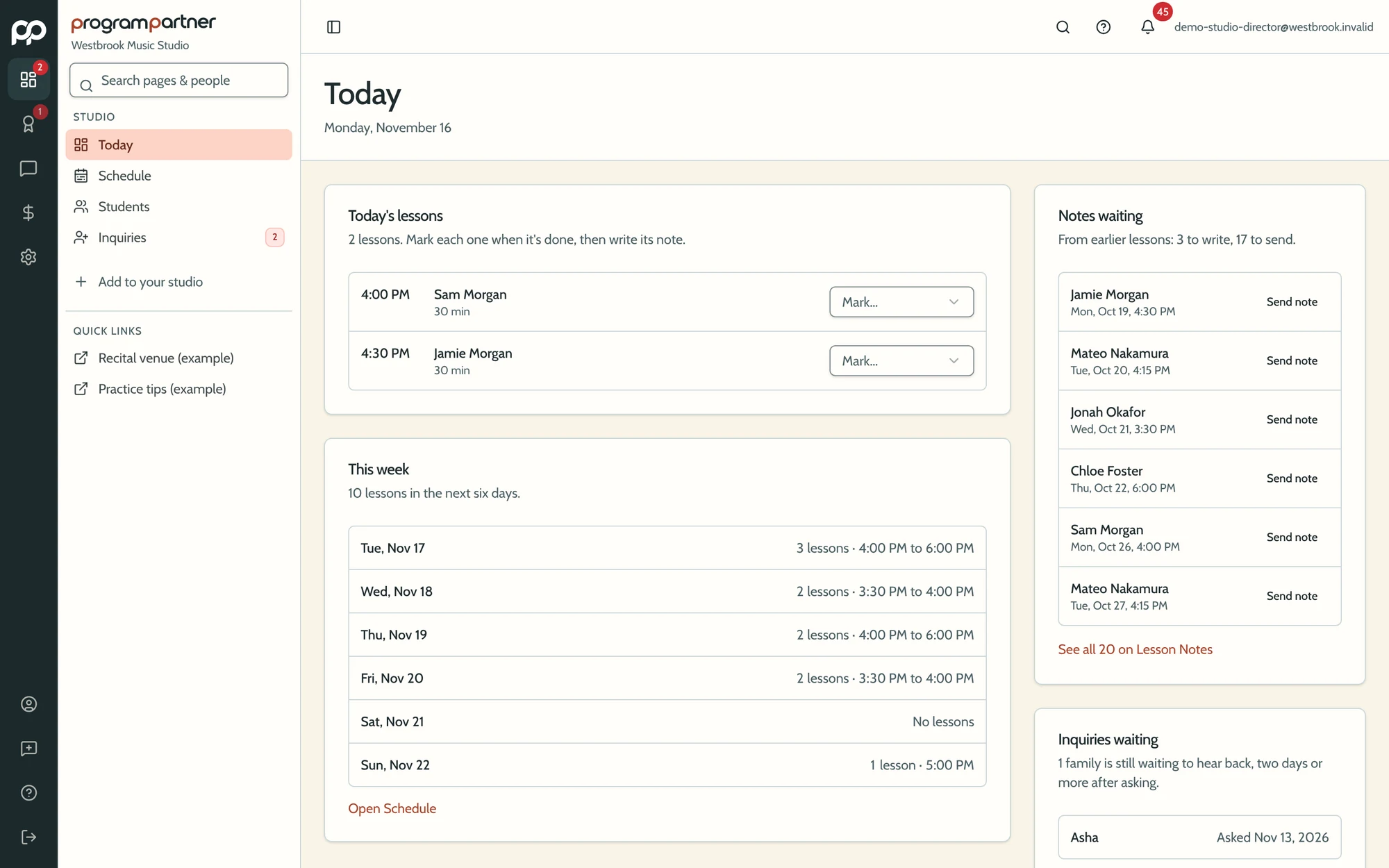
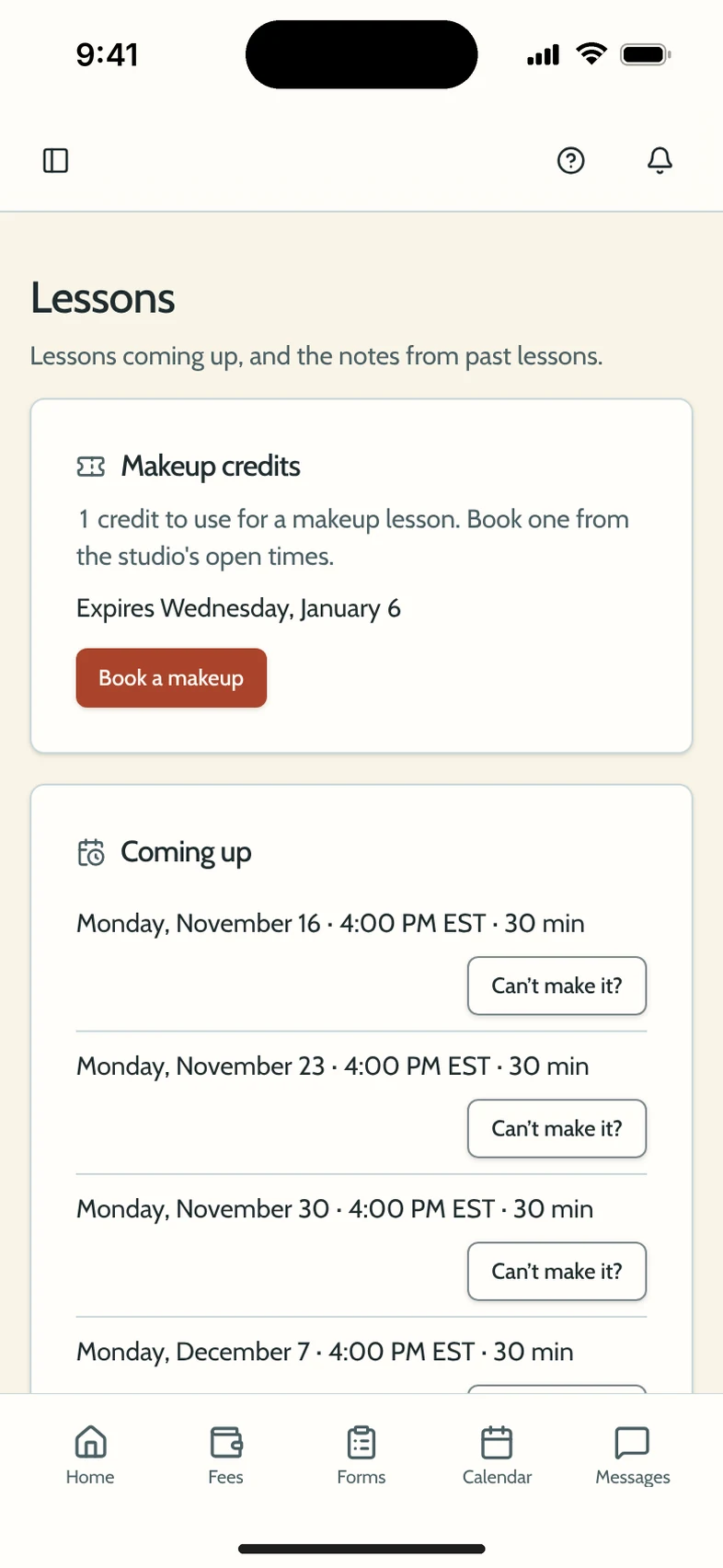
A lesson day, start to finish.
Today shows your lessons, the notes still to write or send, who owes you and the week ahead, on one screen.
The rest of the front office.
Turn on what your studio needs, when you need it. Nothing is deleted when you turn something off.
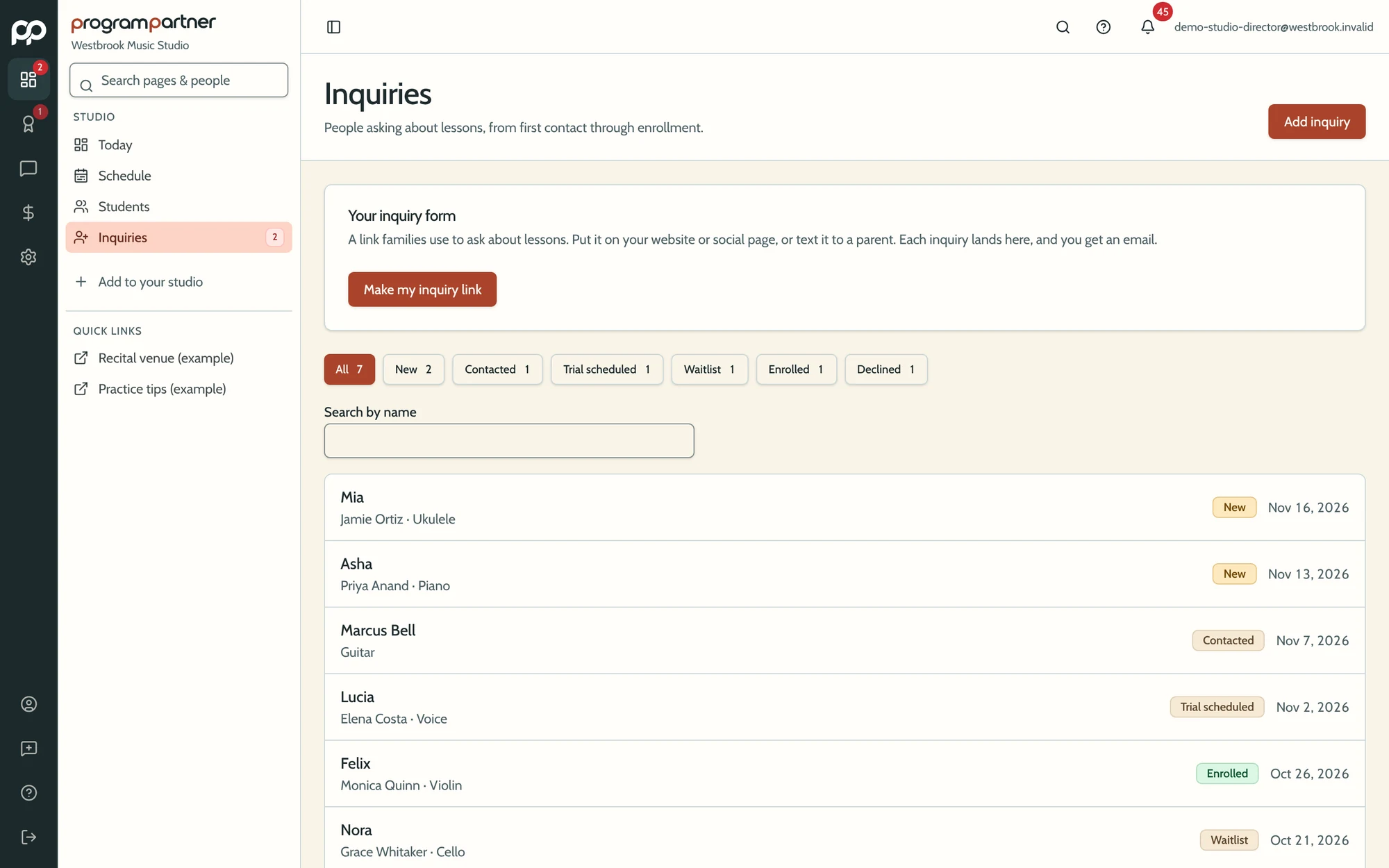
Inquiries
Share your inquiry link on your website, a social page or in a text. Every inquiry lands in one list, and Enroll turns it into a student and a family contact.
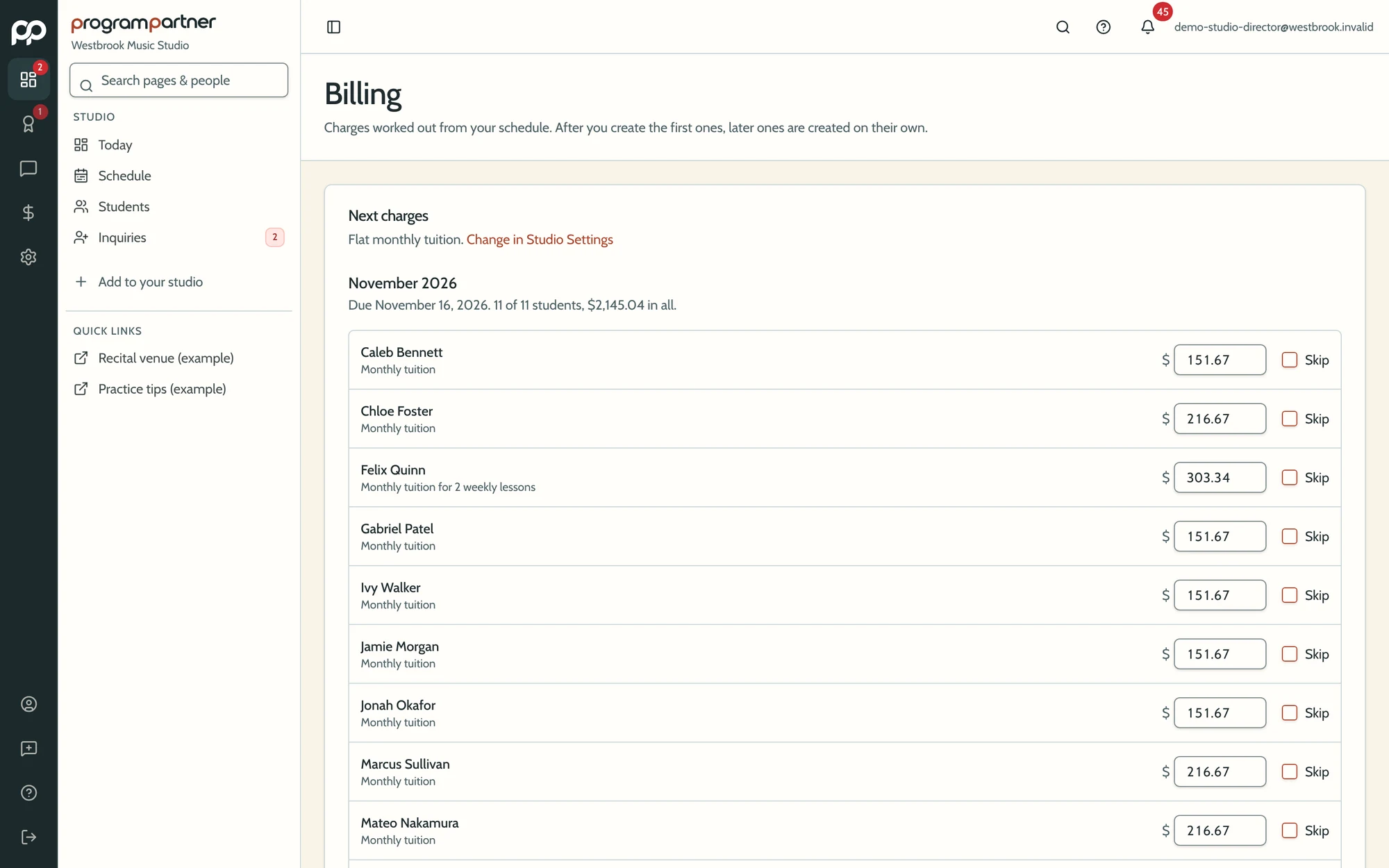
Billing from your schedule
Flat monthly tuition, per lesson, prepaid blocks or a prepaid term. The next charges are worked out from your weekly lessons. You review the first run, and later ones can be created on their own.
Autopay
Families save a card or bank account with your studio's own Stripe account, or a card with Square, and each invoice is charged on its due date. The money goes straight to you.
Families book their makeups
Post open times on your schedule. A family with a makeup credit books one from the portal, and you can let families book extra lessons too.
Cancelling by your rules
Families cancel from the portal, and your cancellation notice decides whether they get a makeup credit. They see which before they confirm, and you're told right away.
Lesson reminders
Families get an email about a day before each lesson, with a link to cancel if they can't make it. Each family contact can turn their own reminders off.
Your studio policy
Start from a template filled in from your settings, publish it, and see who has signed. You can ask families to sign before they use the portal.
Planned breaks
Mark a holiday week once. Those lessons come off the schedule, and no makeup credits are owed for them.
What families see
Coming lessons, past lessons with the notes you sent, practice assignments, balances, and the makeup credits they can still use.
Questions teachers ask
I only have 15 students. Is this overkill?
Setup is four steps: your studio, your lessons, your students and any extras. Turn on only what you need, like scheduling and payments, and add the rest later.
Can parents see the lesson notes?
Yes, once you send them. Drafts stay with you.
Do I need my own payment account?
To take payments online, yes. Connect your studio's own Stripe, Square or PayPal account, and payments go straight to you, with no Program Partner fee. Autopay works with Stripe (card or bank account) and Square (card).
What if a family cancels at the last minute?
Your cancellation notice decides it. With enough notice the family gets a makeup credit on its own. With less, they don't, and you can still give one by hand.
What does it cost?
Private studios have their own plan, billed monthly or yearly, with every feature included. The current price is on the Pricing page.