
Know who owes what, without the envelope pile.
Assign fees, take payments straight into your program's account, and see every balance the moment it changes.
How it works
- Step 1
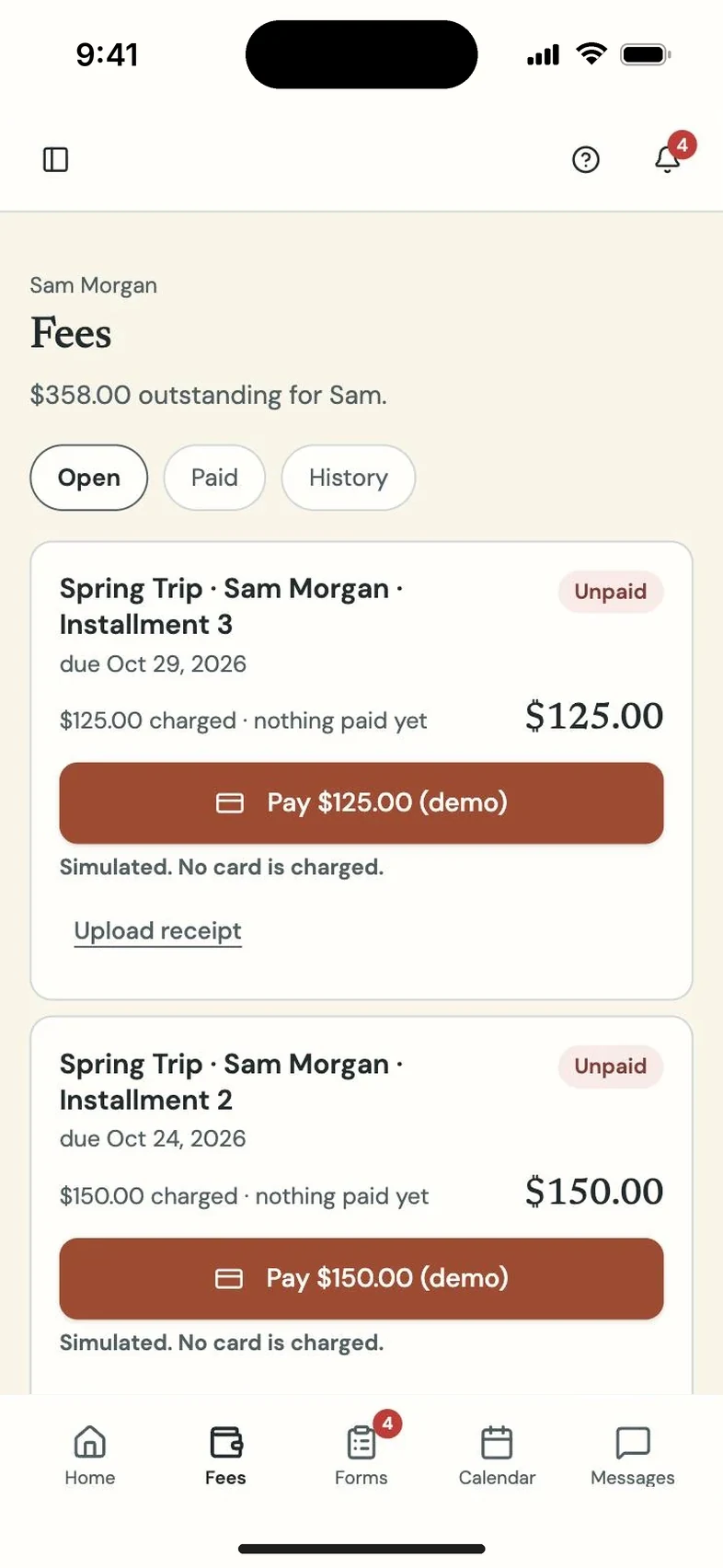
Assign a fee to one student, an ensemble or the whole program.
- Step 2
Families pay online from their portal, or turn in cash or a check and upload the receipt for you to approve.
- Step 3
Each payment lands on the right balance, and reminders go out automatically.
What you get
Every student has a live balance that staff, parents and the student can all see. Families pay online through your program's own Stripe, Square or PayPal account, with Venmo through PayPal.
Payments made outside the app, like cash, checks, a direct Venmo payment, Cash App, Zelle or a ticketing site, go to a review queue before they reach a balance.
Every payment gets a receipt. For your boosters, ledgers and fiscal-year budgets track income and expenses, with budget vs. actual as the year goes.
Questions directors and teachers ask
Does Program Partner take a percentage?
No. Payments go to your program's own processor account. Program Partner charges no payment fees; your processor's standard rates apply.
What if a family pays a little more than they owe?
The extra is never quietly turned into credit. It waits where you can see it and decide what to do with it.
Can our booster treasurer use it without seeing everything else?
Yes. Staff and booster roles each get their own permissions.