
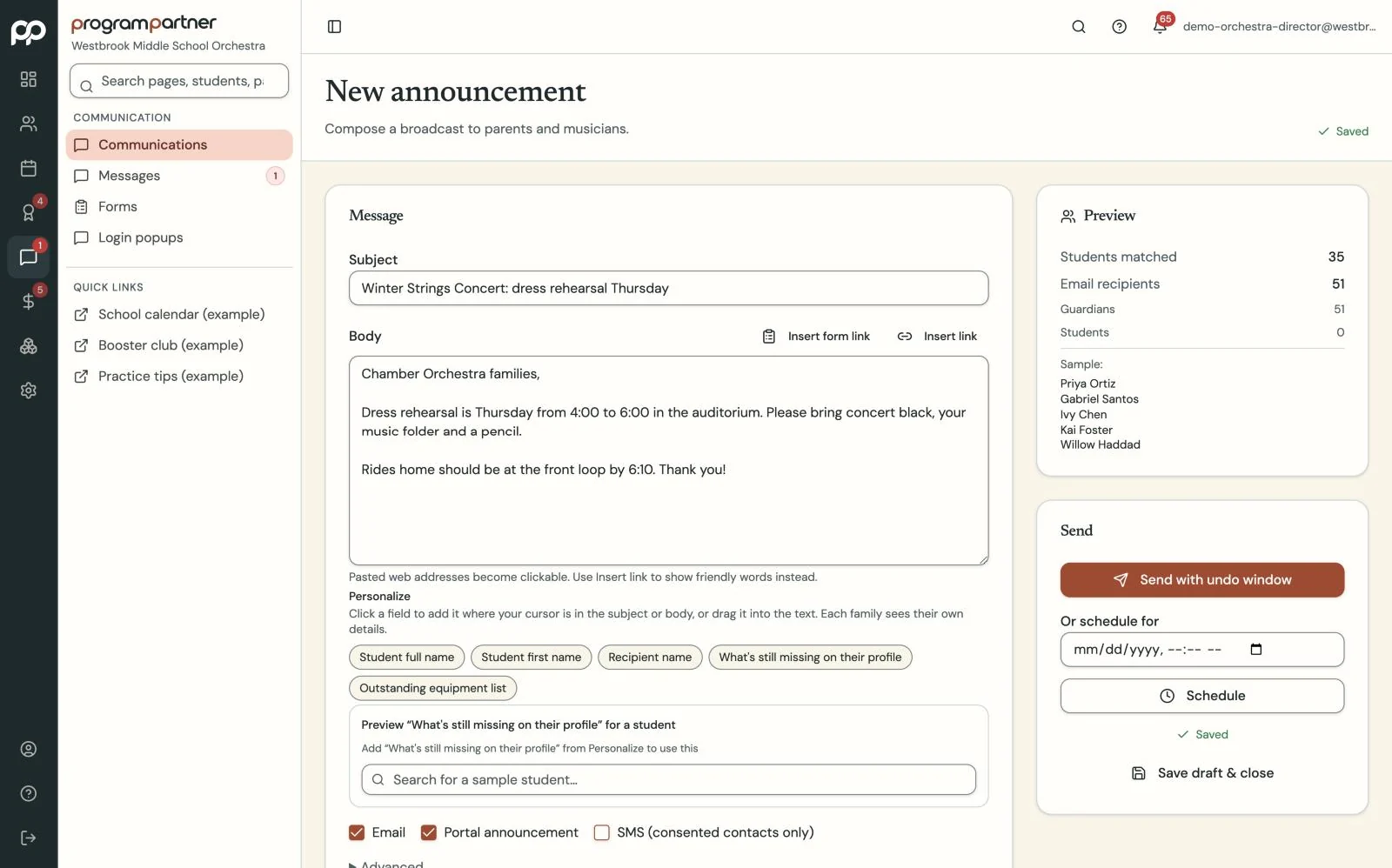
Write it once and choose who it's for: everyone, an ensemble or a handful of families. Send it now or schedule it for later.
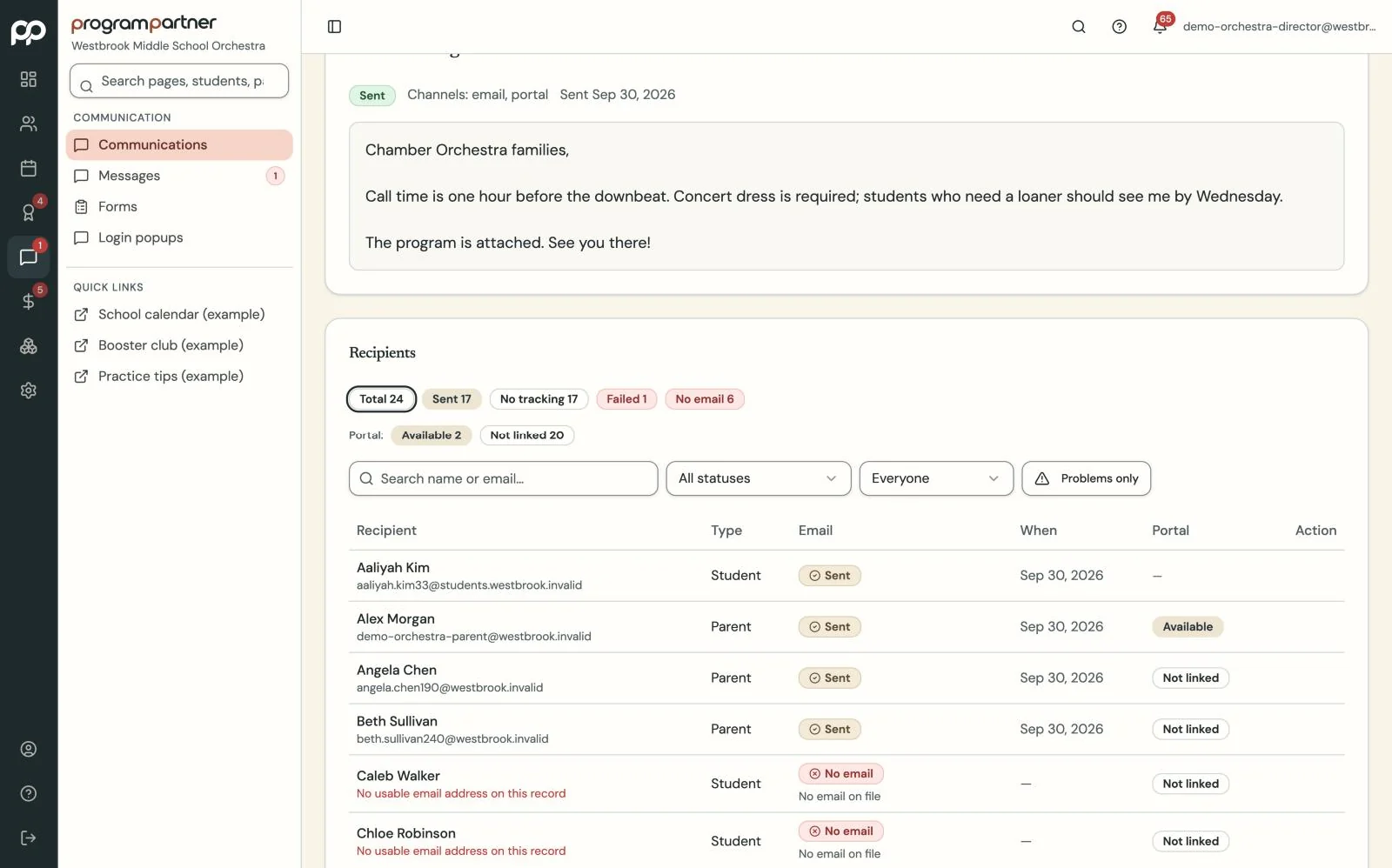
Know who got the message.
Program Partner's communication tools are email announcements, direct messages and one calendar for the whole program, and you can see who received each announcement.
How it works
-
Step 1
-
Step 2
See who received it, and who opened it where email apps report it.
What you get
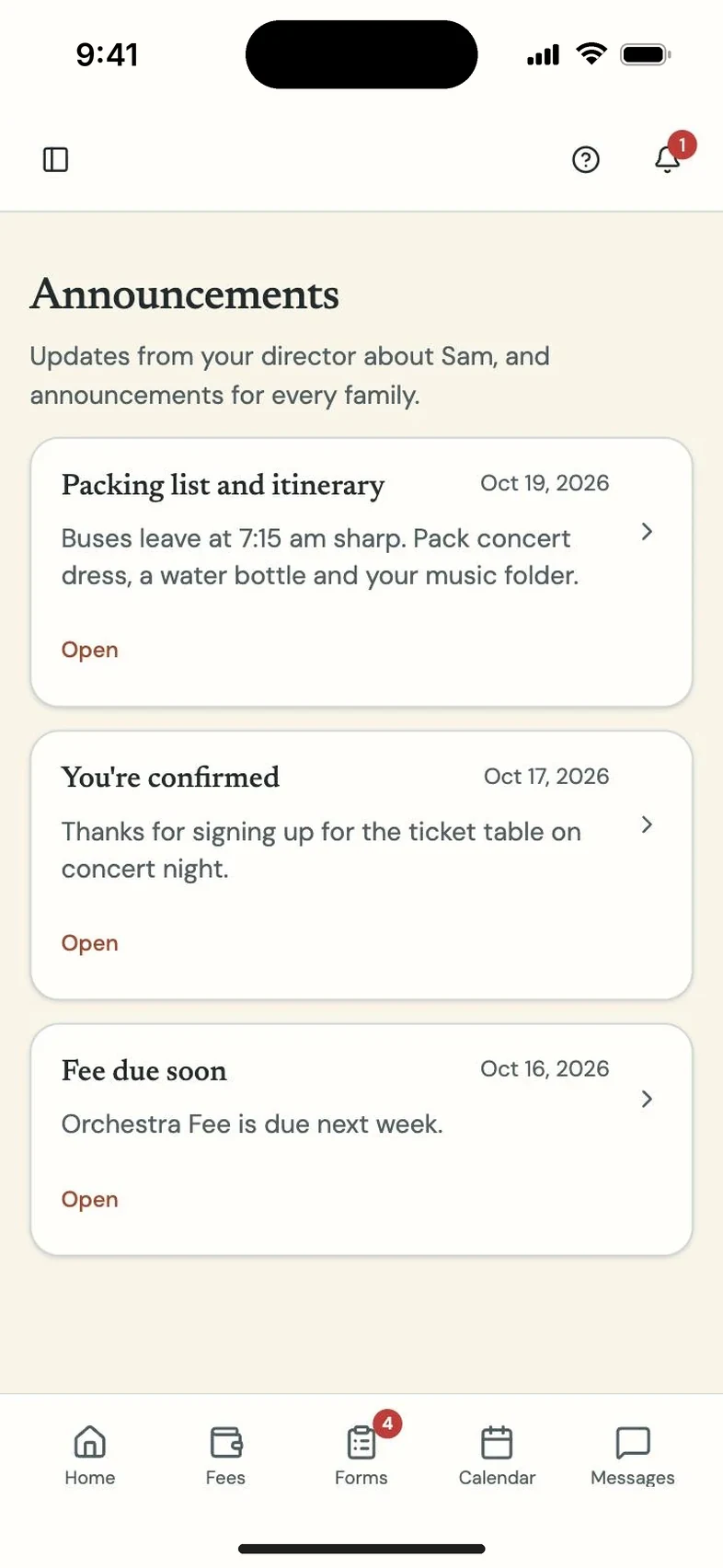
Announcements go out by email, with notifications on families' phones, and you can schedule them for Sunday night.
Direct messages keep staff and family conversations in threads. One program calendar holds every rehearsal and event, with feeds families can add to their own phones.
Questions directors and teachers ask
What if an email bounces?
Delivery tracking flags it, so you can fix the address.